

Akbet Mobile App: Nigeria’s Top Platform for Online Betting
📱 Akbet Mobile App is Nigeria’s favourite for sports betting and gaming. Get quick access to bets, strong security, helpful tips, and reliable support—bet smart, win big! ⚽🎲
Edited By
Oliver Chapman
When it comes to downloading the Akbet app in Nigeria, the key is getting it from trustworthy sources. Akbet offers a reliable sports betting platform, but downloading the app from unofficial sites risks malware or cloned versions. Avoiding those fake versions pays off in the long run.
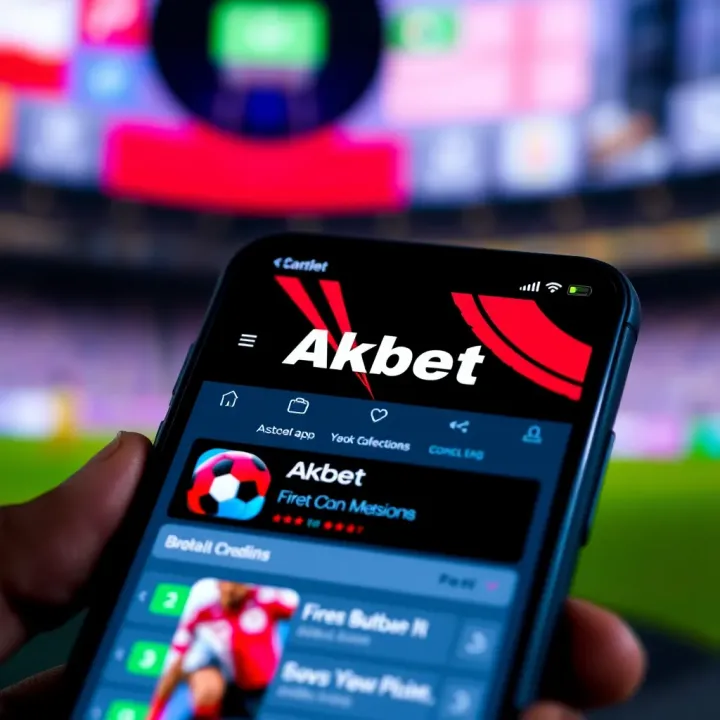
Akbet Official Website: This is the safest place to download the app. You will find the latest, verified version compatible with Nigerian Android devices.
Trusted App Stores: While Akbet primarily provides direct APK downloads, check recognised app platforms like Google Play Store for any official listing. Be wary of imitations even there.
Always double-check the app publisher's name and user reviews to avoid counterfeit apps that mimic Akbet.
Akbet’s app runs smoothly on Android smartphones running version 5.0 and above. For iOS users, the official iPhone version might be limited or unavailable, so accessing the service via mobile browsers is a practical alternative.
Before installation, ensure your device has at least 100 MB free storage to accommodate the app and future updates. A stable internet connection helps during downloading to prevent file corruption.
Visit the Akbet official website on your mobile browser.
Locate the download section for the Android app.
Enable ‘Install from Unknown Sources’ in your device’s security settings, if not already on.
Download the APK file.
Open the downloaded file and install the app.
Once installed, disable the ‘Unknown Sources’ option to keep your device secure.
Never download the app from random third-party websites or unsolicited messages.
Check for spelling errors or poor design in app descriptions before downloading.
Use antivirus software on your phone to add an extra layer of security.
For Nigerian sports bettors, starting your betting journey with the authentic Akbet app reduces risks and improves your experience significantly.
By sticking to official sources and following the basic device and installation guidelines, you can enjoy Akbet’s betting services without hassle or worry.
Downloading the official Akbet app matters because it ensures a secure and smooth betting experience. Many users risk downloading fake apps that could compromise personal data or fail to work properly. By knowing where to find the genuine app, you avoid problems like fraud, malware, or blocked accounts—all of which happen when users stray from trusted sources.
Getting the Akbet app from official sources guarantees you receive genuine software with proper updates and security patches. For instance, apps downloaded from unofficial websites might miss critical fixes or could be altered to steal data, putting your bank details or betting history at risk. Official sources often come with customer support, so if you encounter issues during installation or while using the app, help will be available.
Moreover, official apps perform better on your device because they are tested for compatibility and reliability. This is especially vital in Nigeria where mobile data and device storage are often limited. Downloading unofficial versions might drain your resources or cause crashes.
The safest place to get the Akbet app is the official Akbet website. This platform provides the most recent app version, which ensures you access updated features and security improvements. Besides, downloading directly from the website reduces the risk of encountering a counterfeit app, as you are dealing with the company itself.
On the website, you'll usually find clear instructions on how to download and install the app on different devices, including Android and iOS. This helps avoid confusion, especially for users who are not tech-savvy. Plus, the site will notify you of any ongoing maintenance or updates.
Another reliable source is trusted app stores like Google Play Store for Android users and the Apple App Store for iOS users. These stores vet applications to ensure they meet security and quality standards. For example, Akbet listed on Google Play Store undergoes Google’s review to keep threats at bay.
Downloading from these stores is straightforward and integrates well with your device’s update system. However, it's always good to verify the developer's name to ensure you’re getting the genuine Akbet app, as some apps might try to mimic the brand.
Sometimes, the Akbet team provides direct download links for APK (Android Package Kit) and iOS installation files. This method is handy if your device doesn’t support certain app stores or you want to install a version not yet live on stores.

When using direct links, ensure they come from official communications such as verified emails, the official website, or trusted promotions. This protects you from downloading malicious files. Be careful with Android devices, as installing apps from unknown sources requires enabling a specific setting, and doing so recklessly can expose you to security risks.
Downloading the Akbet app from official and trusted sources is your best bet to keep your data safe and enjoy an uninterrupted betting experience.
Downloading and installing the Akbet app correctly ensures a smooth, secure experience when using the platform. Many Nigerian users new to Akbet want to get up and running without technical hitches or security risks. That's why a clear guide on the download and installation process matters. It helps avoid common mistakes like installing fake apps that could steal data or cause problems. Plus, knowing step-by-step instructions for your device lets you start betting quickly, with confidence.
Getting Akbet on an Android phone or tablet is generally straightforward. Follow these steps:
Enable Unknown Sources: Before downloading from outside Google Play Store, go to your phone’s Settings → Security, then enable ‘Install from Unknown Sources’. This lets you install the Akbet APK file if you get it directly from the official site.
Download the APK: Visit the official Akbet website on your mobile browser and download the Android APK file.
Locate the Downloaded File: Use your File Manager to find the APK, usually in the ‘Downloads’ folder.
Install the App: Tap the APK file and follow the prompts to install. The process is quick and straightforward.
Open and Configure: Once installed, open Akbet, log in or register, and you’re set.
Remember to disable ‘Unknown Sources’ after installation to keep your device safer.
For Apple device users, the process is more controlled via the App Store. Here’s how to install Akbet on iPhones or iPads:
Open the Apple App Store.
Search for Akbet using the search bar.
Once you find the official app, tap Download or Get.
If prompted, enter your Apple ID password or use Face ID/Touch ID to confirm.
After downloading, open the app and complete your profile.
Installing from the App Store guarantees you get the official Akbet app, free from malware or fakes.
Sometimes installations don’t go smoothly. Here are common issues Nigerian users might face, with simple fixes:
Insufficient Storage: If your phone shows a ‘storage full’ message, clear old apps, photos or offline videos to free space.
App Not Installing (Android): This often happens if ‘Unknown Sources’ is still disabled. Double-check your security settings.
Slow Download: Poor internet could slow downloads. Try connecting to a stable Wi-Fi or a better mobile network.
App Crashes on Launch: Ensure your device OS meets the minimum requirement for Akbet. Restart the phone and update your operating system.
Installing Akbet using official sources, following these clear steps, maximises your security and betting enjoyment. Avoid third-party links or unknown APK files, as these often lead to fraud or malware.
By carefully following these guides tailored for Android and iOS devices, Nigerian users can quickly install Akbet with no fuss. Proper installation keeps your account and data safe while letting you dive straight into the betting action with one of Nigeria’s trusted platforms.
Before downloading the Akbet app, understanding your device's requirements is key to ensuring a smooth experience. Compatibility affects not only performance but also the security and usability of the app. For example, installing the app on an older smartphone with insufficient memory or outdated software might cause frequent crashes or slow loading times. In Nigeria's busy betting scene, where quick access is crucial, these hiccups can lead to missed opportunities or frustrations.
The Akbet app requires Android devices to run on Android 5.0 (Lollipop) or later. Meanwhile, iOS users need at least iOS 11 to install the app without issues. Many Nigerian users own smartphones that already meet these specifications, but if your device runs an older OS, you may find that the app won't install or function properly. For example, a popular Tokunbo Android phone running KitKat (Android 4.4) will struggle to support the app’s features.
Ensuring your device meets these minimum OS requirements means the app’s interface, updates, and betting functions will work as intended. It also guarantees stronger security patches, which are important to protect your login details and transactions.
The Akbet app typically requires around 50MB of free storage space for installation, but you should have at least 150MB free to accommodate updates and cache files from continuous app use. Given that some Nigerian smartphones come with limited storage, especially entry-level models, clearing up space is often necessary before installation.
Internet connectivity plays a significant role too. Akbet functions best on stable 3G, 4G, or Wi-Fi connections. If you are in Lagos or Abuja, 4G networks are widely available and would support smooth app performance. However, if you rely on fluctuating mobile data in rural areas, you might experience lag or connection timeouts during live betting or transactions.
Before installing the Akbet app, especially if you download the APK file directly, it’s critical to adjust your device’s security settings safely. Android devices usually block installations from unknown sources by default — a necessary protection against malware. You will need to enable "Install from Unknown Sources" temporarily.
That said, disable this setting right after installation to keep your device secure. Also, ensure that your device has an updated antivirus app if you often install files outside official app stores. For iOS users, such security prompts are less frequent, but always verify the app version by downloading from trusted sources.
Taking a few minutes to check your device’s OS version, free storage, internet strength, and security settings will improve your Akbet app experience and reduce frustration.
By meeting these device requirements, Nigerian sports bettors and tech enthusiasts can enjoy the Akbet app reliably, safeguarding their betting activities and personal data.
Downloading an unofficial Akbet app can jeopardise your device’s security and put your personal information at risk. Many fake apps imitate the official Akbet interface but secretly steal data, inject malware, or lock users out of their accounts. Avoiding such risks is key for Nigerian bettors who want to enjoy the platform without stress or loss.
Fake Akbet apps often sneak into unofficial websites or underground app stores popular with Nigerian users seeking quick downloads. To spot them, always check the app publisher’s name — the official Akbet app will be published by the company itself, not unknown third parties. Also, watch out for poor screenshots, odd grammar in descriptions, or apps requesting excessive permissions unrelated to betting, such as access to contacts or messages.
Many fake versions lack regular updates and show very low or suspicious user reviews. For instance, an app claiming to be Akbet but with a rating below 2 stars or with reviews complaining about stolen funds is a clear red flag. Nigerian users should download only from trusted platforms like the official Akbet website or well-known app stores (Google Play Store for Android and Apple App Store for iOS).
Using a fake Akbet app carries high risks. Malware embedded in these apps can drain your phone data, run up bills by sending premium SMS, or even monitor your location covertly. Worse still, your betting account details can be captured and used for unauthorised withdrawals, leading to direct financial losses.
Unofficial versions might also fail to provide timely odds updates or accurate betting options, affecting your chances of winning. Technical glitches and poor performance are common since these apps are not supported or tested by the official developers. This can result in frustration and loss of betting opportunities.
Securing your Akbet account starts with using only the official app. Always activate two-factor authentication (2FA) if available, which adds a layer of security by requiring a code sent to your phone or email upon login.
Never share your password or OTP (one-time password) with anyone, even if they claim to be customer care reps. Akbet will never ask for these details unsolicited. Regularly update the app to the latest version to patch vulnerabilities that hackers exploit. Also, avoid using public Wi-Fi when placing bets; use a private network or mobile data to reduce interception risks.
Protecting your personal and betting data is as crucial as placing winning bets. Stay alert, download wisely, and update promptly to enjoy Akbet’s platform safely.
In summary, confirming the app’s authenticity helps you avoid scams, financial loss, and device damage. Stick to official sources, read reviews carefully, and maintain good security habits. These steps ensure your Akbet experience in Nigeria remains smooth and safe.
Knowing how to get started with the Akbet app right after installation is vital for a smooth betting experience. Many users rush through the installation only to find themselves stuck at the account setup or unsure of the app's main functions. This section guides you through the crucial first steps, from creating an account to exploring key features, ensuring you don’t miss any important detail.
Once you have the Akbet app installed, the first thing to do is create your betting account. You’ll need to provide basic information like your full name, valid phone number, email address, and a secure password. Akbet may ask for your National Identification Number (NIN) or Bank Verification Number (BVN) to verify your identity, which is standard practice in Nigeria for betting platforms regulated by the National Lottery Regulatory Commission.
After registration, check your email or phone for a verification code to confirm your account. Logging in afterwards is straightforward—just input your registered email or phone number along with your password. If you forget your password, the app offers a simple password recovery option using your phone number or email, which is practical especially in areas prone to network interruptions.
The Akbet app is designed with Nigerian bettors in mind, offering a variety of betting markets such as football, basketball, and local events like the Nigeria Professional Football League (NPFL) matches. On logging in, you’ll find a live betting section where you can place bets as the games unfold.
Besides live bets, the app shows upcoming fixtures, betting odds, and your bet slip. A handy wallet feature lets you fund your account using popular local methods like USSD codes, Paystack, or bank transfers, making transactions seamless even with limited internet. Exploring the app’s dashboard will also reveal promotions, bonuses, and a history tab where you track past bets and payouts.
If you run into issues—be it trouble logging in, deposit delays, or app crashes—the Akbet app provides customer support through chat, email, and sometimes phone calls. Support agents are usually responsive, reflecting the high competition in Nigerian betting markets. Remember to keep your app updated; older versions may not work properly or lack important security patches.
For common issues like app freezing or login errors, try clearing the app cache or reinstalling. In cases where your account seems locked or restricted, contacting support quickly can prevent loss of funds or bets.
Getting familiar with the app’s functionalities and support options early on saves you stress later. Betting should be about enjoyment and strategy, not unnecessary hassle.
This guide helps you start confidently with the Akbet app, avoiding common pitfalls and making the most of the features designed for Nigerian users. That way, you can focus on your betting strategy and enjoy every moment, whether at home or on the move.
📱 Akbet Mobile App is Nigeria’s favourite for sports betting and gaming. Get quick access to bets, strong security, helpful tips, and reliable support—bet smart, win big! ⚽🎲

📱 Learn how to download and use the Score Akbet app on Android for smooth sports betting in Nigeria. Get tips on installations, safety, and troubleshooting today!

📥 Learn how to download Akbet on Windows with simple steps, official links, system needs, and tips to avoid common issues—perfect for Nigerian users 🖥️
📲 Learn how to register with Akbet in Nigeria step-by-step. Get insight on required documents, common issues, and support to start using Akbet confidently today.
Based on 11 reviews