
How to Check and Screenshot Your Akbet Account Balance
Edited By
Jack Reynolds
Overview
Managing your Akbet account balance doesn't have to be a hassle, especially for sports bettors and gaming enthusiasts who want hassle-free access to their funds. Knowing how to check your balance quickly and capture a screenshot can save you from unnecessary doubts or disputes about your account activity.
Akbet makes it easy to monitor your gaming funds whether you use their app or website. Starting with simple steps ensures you’re always on top of your betting budget, avoiding surprises during your gaming streak.

Here’s a quick breakdown:
Check your Akbet balance by logging into your account on the Akbet app or official site. Your balance is usually displayed prominently on the dashboard once logged in.
For mobile users, the balance appears just after signing in, often at the top or in the wallet section.
Screenshotting your balance means you can save proof of your funds and quickly reference it anytime. This comes in handy when you’re confirming deposits, withdrawals, or tracking your betting history.
Always keep your screenshots updated especially after transactions to avoid confusion. This small practice helps track bets and ensures transparency, especially if you notice discrepancies.
Taking a screenshot differs slightly depending on your device:
On Android phones, press the power button and volume down button simultaneously for about 2 seconds.
On iPhones, press the side button and the volume up button at the same time.
On Windows or Mac computers, you can use keyboard shortcuts (like "PrtScn" on Windows or "Shift + Command + 4" on Mac) to capture your screen.
Be mindful to store your screenshots securely. Avoid sharing them with untrusted people to protect your account details.
Checking and saving your account balance regularly helps you manage your betting funds better, ensuring you place bets within your budget and spot any irregularities early.
Next, we will explore step-by-step methods to check your Akbet balance and how to capture screenshots properly across different devices.
Understanding Akbet and Its Account Features
To manage your Akbet account effectively, it helps to know what the platform offers and how its account system works. This knowledge ensures you can keep track of your bets, deposits, winnings, and withdrawals without confusion. Sports bettors in Nigeria, who often juggle multiple betting platforms, will find this overview essential to avoid mistakes that could cost them money or miss out on winnings.
What Akbet Offers to Nigerian Players
Akbet stands as one of the popular sports betting platforms tailored for the Nigerian market. It provides a wide range of betting options including football, basketball, tennis, and local leagues like the Nigeria Professional Football League (NPFL). Nigerian players benefit from competitive odds, timely match updates, and easy deposit methods through local channels like bank transfers or popular e-wallets such as OPay and PalmPay.
The platform also supports live betting, allowing users to place bets during matches, which adds excitement and flexibility for users wanting to take advantage of shifting game dynamics. With dedicated customer support in Nigerian English, Akbet addresses user issues promptly, often resolving challenges related to balance checks or transaction histories quickly.
Account Types and Balance Overview
Akbet usually offers two types of accounts to accommodate different player preferences: the Main Wallet and Bonus Wallet. The Main Wallet contains funds deposited by the user or credited from winnings that have cleared. This is the amount you can freely use for any betting activity or withdrawal.
The Bonus Wallet, on the other hand, contains promotional credit which may come from welcome bonuses, referral rewards, or occasional promotions. This wallet is often restricted, meaning you cannot withdraw the bonus instantly until you meet specific wagering requirements.
Understanding these wallets is crucial because the displayed balance might combine both, but your usable balance can vary depending on these conditions. For example, if your total balance reads ₦5,000, it might be split as ₦3,000 in Main Wallet and ₦2,000 as bonus funds. When checking your Akbet account balance, always verify which balance is refundable or withdrawable to avoid frustration during cash-out attempts.
Keeping clear tabs on each account balance within Akbet helps prevent overspending and supports smarter betting decisions. It also ensures transparency when tracking your betting budget.
In summary, knowing Akbet’s account setup streamlines your experience. You avoid surprises when placing bets or trying to withdraw, and you can use the balance overview for better personal finance management.
Next, we'll explore practical steps for checking your Akbet account balance easily on various devices and platforms.
Step-by-Step Guide to Checking Your Akbet Account Balance
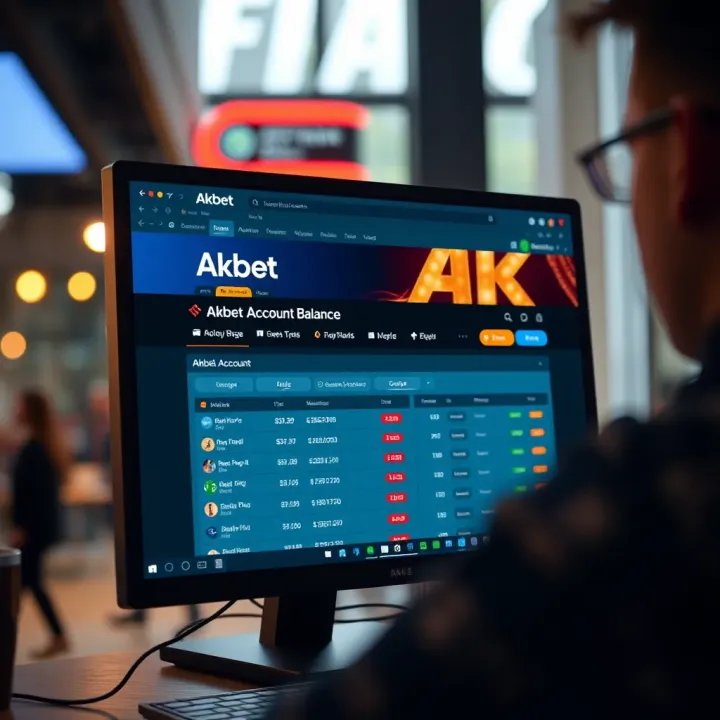
Getting to know your Akbet account balance is a must for anyone serious about managing their betting activities wisely. This section breaks down practical ways to check your balance quickly, allowing you to stay in control of your funds without hassle. Whether you prefer using a smartphone or your computer, there’s a solid method that suits your style.
Using the Akbet Mobile App for Balance Inquiry
The Akbet mobile app is the most convenient tool for checking your balance on the go. After downloading the app from the official source, log in with your registered details. The dashboard clearly displays your current balance along with your betting history. For instance, if you place bets frequently on football matches, you can see updates in real time.
To check your balance, simply open the app and glance at the top of your screen where the available funds are shown. You can also tap on the wallet or account section to see detailed breakdowns such as available bonus funds or pending withdrawals. This app-friendly approach avoids the need to visit physical locations or wait for customer support.
Checking Balance via USSD or SMS Service
For users without constant internet access, Akbet provides a USSD or SMS service to fetch account information swiftly. Dial the specific code provided by Akbet, typically starting with *xyz# (replace with the official code), and follow the prompts to receive your balance via text message within seconds.
This method is especially handy in areas with poor network coverage or for those who prefer using feature phones. For example, a punter on the road in Abuja can check their balance without any data subscription, avoiding unexpected charges from data usage.
Accessing Balance Information on the Akbet Website
If you’re more comfortable with bigger screens, logging in through the official Akbet website offers a simple way to view and manage your money. Enter your username and password, then navigate to the user account section. Your wallet balance will be displayed prominently.
Besides the main balance, the website often provides access to transaction history, promotional offers, and options to deposit or withdraw funds. This makes it easier for bettors who prefer detailed financial oversight and want to keep records of their betting activities.
Checking your Akbet account balance regularly ensures you’re fully aware of your betting limits and prevents overspending. It also makes it easier to track winnings and plan your next wager effectively.
By choosing any of these methods—app, USSD/SMS, or website—you can stay connected to your account and avoid surprises during your betting experience.
How to Take a Clear Screenshot of Your Akbet Balance
Taking a clean and clear screenshot of your Akbet account balance is more than just a convenience. It helps you keep track of your betting finances, provides proof in case of disputes, and aids in verifying your transactions without repeatedly logging into the app or website. With betting stakes often adding up to considerable sums, having a clear record on hand can save you from unnecessary stress later.
Capturing Screenshots on Android Devices
On most Android devices, the quickest way to capture a screenshot is by pressing the Power button and Volume Down button simultaneously. Hold them for about one second until you see a flash or hear a shutter sound. This captures everything visible on your screen, including your Akbet balance. Certain Android brands like Tecno or Infinix may show a shortcut on the notification panel or gesture settings like a three-finger swipe downwards to capture the screen. These can be more convenient if the physical buttons are less responsive.
After the screenshot is taken, you can find it in your Gallery or Photos app under the screenshots folder. From there, you can crop or highlight the balance area before sharing or saving it.
Taking Screenshots on iPhone Devices
If you have an iPhone, the method to screenshot depends on the model. For iPhones with Face ID (like iPhone 12 or 13), press the Side button and Volume Up button at the same time. For older models with a Home button, press Home and Side or Top button together. Quickly release both buttons to capture the screenshot of your Akbet balance screen.
Once taken, the image briefly appears in the lower-left corner; tap it to open the editor. Here, you can crop the image or add annotations for clarity. The screenshot will be saved automatically to your Photos app under Recents and Screenshots albums.
Tips for a Clear and Useful Screenshot
Ensure your balance is fully visible and not covered by pop-up notifications or other overlays before capturing. This prevents confusion when reviewing later.
Crop unnecessary parts of the image so only relevant information shows. It tidies up your records and lowers file size.
Use natural lighting or screen brightness at a comfortable level to avoid glare or dark patches in the screenshot.
If your device supports it, use markup tools to underline or circle your current balance or transaction date for quick reference.
Keep your screenshots organised in a dedicated folder labelled "Akbet Records" or similar. This helps when you need to find specific balances fast.
A well-taken screenshot can be your best friend during account reviews or when requesting support from Akbet’s customer service.
Keeping these steps and tips in mind ensures you always have a crisp, professional-looking record of your Akbet account balance on hand. It simplifies managing your betting activity and gives you peace of mind.
Common Issues When Checking Akbet Account Balance and How to Fix Them
Checking your Akbet account balance usually goes smoothly, but sometimes issues come up that can be frustrating. These glitches can disrupt your betting plans or even cause you to doubt if your balance is accurate. This section explains common problems and how to fix them, so you won’t waste time or money.
Problems with App Loading or Login Failures
One frequent obstacle is trouble launching the Akbet app or logging in. For example, you might open the app and see the loading screen stuck, or your login credentials get rejected despite being correct. This often happens when the app needs an update, your internet connection is unstable, or server issues arise on Akbet’s end.
To solve this, first ensure your device has a reliable data connection, preferably Wi-Fi or a strong 4G signal. Then, check the app store for any available Akbet updates—running an outdated app version can cause these errors. If the problem persists, try clearing the app’s cache in your phone settings or reinstalling it to remove any corrupted files. Restarting your phone may also help refresh background processes.
When Balance Does Not Display Correctly
Sometimes, your account balance may show a wrong figure or fail to update after you’ve placed bets or withdrawn funds. This can cause confusion, especially if you rely on screenshots for tracking.
Delays in server synchronisation are often the culprit. Akbet processes transactions in near real-time, but hiccups happen during peak betting times or maintenance windows. To fix this, refresh your balance screen manually by logging out and back in. You could also wait a few minutes before checking again.
If the displayed balance still doesn’t match your transaction history, review your bet receipts and withdrawal confirmations carefully. Keep in mind that network delays or temporary bugs might cause inconsistencies, but these usually clear up within minutes.
Contacting Akbet Support for Assistance
When all else fails, reaching out to Akbet customer service is your best bet. They can clarify issues like missing funds, technical errors, or account locks. Use the in-app chat feature or send an email describing your problem clearly, including your account details and any error messages.
Be prepared to verify your identity—Akbet might request identification documents to secure your account. Response times may vary, but keeping your communication polite and precise helps speed things up.
Remember: Keeping records of your balance checks and transaction screenshots can make resolving problems much smoother with support.
By understanding these common issues and their fixes, you maintain control over your Akbet account and enjoy a smoother betting experience. Stay patient and follow these tips whenever problems emerge to get back on track quickly.
Why Regularly Monitoring Your Akbet Balance Matters
Keeping a regular eye on your Akbet account balance isn’t just about knowing how much money you have left; it’s about managing your betting activities wisely. Staying updated helps you control your spending, avoid surprises, and maintain a smooth betting experience.
Managing Your Betting Budget Effectively
When you check your balance frequently, you can track how much you’ve staked and won over time. For example, a bettor might decide to set a daily limit of ₦10,000 to avoid overspending. Without regularly monitoring their Akbet balance, they risk making impulsive bets beyond their budget. Regular checks serve as a reality check, helping you stick to your financial plans and keep betting within your means.
Preventing Unauthorised Transactions
Frequent balance reviews are also your first line of defence against unauthorised activities. If you notice a sudden dip in your funds with no corresponding bet, it could indicate a security breach. Nigerian bettors have increasingly faced hacking attempts as online betting grows. Spotting unrecognised transactions early means you can contact Akbet support promptly to freeze your account or recover lost funds. It’s a simple step that can protect your hard-earned money from fraud.
Keeping Record for Personal Tracking
Keeping a record of your balance over weeks or months helps you understand your betting trends. Some bettors use screenshots to document wins, losses, and withdrawals, which can be very handy during tax filing or personal finance reviews. For instance, when calculating gains for self-assessment tax purposes in Nigeria, having precise records helps avoid guesswork. Plus, it adds transparency that can improve your overall money management.
Regular monitoring of your Akbet account balance is not just about control—it’s about security and smart money habits. It’s a practical tool for anyone serious about betting responsibly and keeping their funds safe.
By making balance checks a routine, you stay in control of your betting budget, protect against fraud, and keep an organised record for future reference. These actions ensure your experience on Akbet remains smooth and rewarding.
FAQ
Based on 9 reviews